Your Complete Guide to Vehicle Insurance Status Check Online (Updated January 2026)
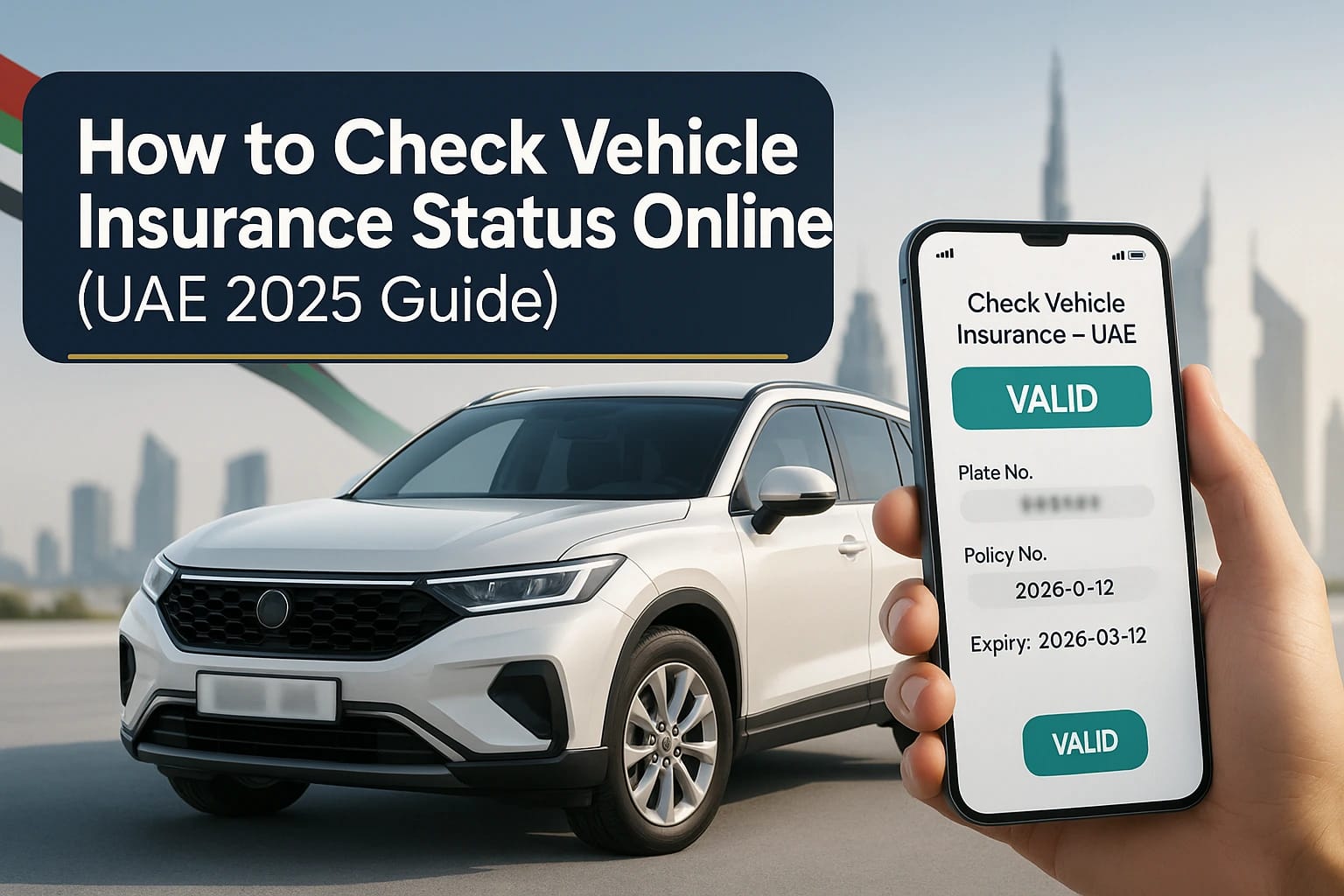
Do you need to confirm if your motor insurance is active right now? Short answer: In the UAE, you can check vehicle insurance status online in minutes via the RTA Dubai app/portal, the MOI UAE app/e‑channels, and Abu Dhabi’s TAMM platform (for capital‑registered vehicles). Whether you need to verify vehicle insurance Dubai or motor insurance Abu Dhabi, simply log in with UAE PASS, open your vehicle profile, and view the vehicle insurance validity next to your Mulkiya (registration number).
With 2026 bringing enhanced digital integration across UAE government services, checking your motor insurance in UAE has never been easier. This guide reflects the latest updates as of January 2026.
Check Vehicle Insurance Status Online: What’s the Fastest Way in 2026?
Direct answer: Use your emirate’s official app or the federal MOI UAE app. After logging in with UAE PASS, select your vehicle to view “motor insurance” and “Registration” details, including the insurer and expiry date. In Dubai, the RTA app and Dubai Drive show it under Vehicle Licensing; in Abu Dhabi, TAMM and AD Police do the same for vehicle insurance Abu Dhabi verification.
Why This Works for Motor Insurance in UAE
- All motor insurance companies in Dubai and across the UAE push policy data to the traffic authority in real-time as of 2026. Once updated, your vehicle insurance appears in the same system used for registration renewal and fines. This seamless integration allows you to check vehicle insurance status online in UAE instantly, with improved sync times compared to previous years. registration renewal and fines. This seamless integration allows you to check vehicle insurance status online in UAE instantly, with improved sync times compared to previous years.
- The UAE government has enhanced its digital infrastructure in 2026, making vehicle insurance check processes faster and more reliable across all emirates.
Understanding Motor Insurance vs Vehicle Insurance in UAE
In the UAE, the terms “motor insurance” and “vehicle insurance” are used interchangeably across all official platforms. Whether you’re looking for motor insurance in Dubai, vehicle insurance in Dubai, or motor insurance in UAE, the verification process remains consistent across all emirates in 2026.
Motor car insurance and motor vehicle insurance policies are all registered with the same traffic authority systems, making online verification straightforward. In 2026, the integration between motor insurance companies in UAE and government portals has reached new efficiency levels.
When searching for online motor insurance Dubai or online vehicle insurance Dubai, you’ll find that all registered motor insurance companies in UAE are required to upload policy data to RTA, TAMM, and MOI platforms for seamless vehicle insurance status check online. The 2026 digital transformation initiatives have reduced sync delays to under 2 hours in most cases.
Where to Check Vehicle Insurance Dubai and Other Emirates in 2026 (Official Channels)
Dubai
- Open the RTA Dubai app
→ Vehicle Licensing - Or log in to rta.ae
→ Check Vehicle Insurance Dubai / Motor Insurance Dubai - 2026 update: Faster loading + improved UAE PASS login
Abu Dhabi
- Open TAMM
→ Drive & Transport
→ Manage Personal Vehicle - Check Vehicle Insurance Abu Dhabi / Motor Insurance Abu Dhabi
- 2026 update: Major user‑experience improvements
Sharjah
- Use the MOI UAE app
→ View Vehicle Insurance Sharjah / Motor Insurance Sharjah - Updated interface in January 2026
Federal (All Emirates)
- Open MOI UAE
→ Traffic & Licensing
→ My Vehicles - Check Motor Insurance in UAE across all emirates
- New 2026 features for unified policy tracking
EVG – Emirates Vehicle Gate
- Visit EVG to view motor vehicle insurance details
- Routes users to emirate‑specific services
- Major upgrades in late 2025 + ongoing improvements in 2026
Step-by-Step Guide: Check Vehicle Insurance Status Online in 2026
Direct answer: Open the relevant official app, log in with UAE PASS, select your car, and read the “motor insurance expiry” field. If it’s blank or mismatched, refresh or re-sync and verify with your insurer. This process works for all vehicle insurance Dubai, online motor insurance UAE, and other emirate verifications in 2026.
Step‑by‑Step: RTA Dubai App (2026 Version)
1. Install or update the RTA Dubai app to the latest 2026 version (v8.0+).
2. Sign in with UAE PASS (biometric login now available in 2026).
3. Tap Vehicle Licensing → My Vehicles.
4. Select your plate; vehicle insurance Dubai status and expiry date appear with your digital Mulkiya.
5. The 2026 interface now shows insurer contact details and policy number directly on this screen.
Step‑by‑Step: Abu Dhabi TAMM (2026 Enhanced Platform)
1. Access TAMM (web portal or mobile app)
2. Sign in with UAE PASS
3. Navigate to **Drive & Transport → Manage Personal Vehicle → Renew Vehicle Registration**
4. Your vehicle card displays:
– Outstanding fines
– Vehicle testing status
– Motor vehicle insurance validity (cannot renew without active coverage)
5. Verify insurance motor expiry matches your policy documents
Step‑by‑Step: MOI UAE App (2026 Federal Update)
1. Install the MOI UAE app and complete login
2. Open **Traffic & Licensing** section
3. Tap **My Vehicles**
4. Select your car to view:
– Registration details
– Online motor insurance in UAE data synced from your traffic file
– Policy number and insurer contact
EVG Alternative (Unified Gateway)
Sign in at EVG to view vehicle insurance and motor insurance information, then proceed to renewal across Emirates via the unified gateway. In 2026, EVG offers a streamlined single-dashboard view for all your UAE vehicles regardless of registration emirate.
What You Need to Check Vehicle Insurance Status Online in 2026
To proceed, you will need the following: UAE PASS (updated to 2026 version), a plate/chassis linked to your profile, and an active motor insurance policy uploaded by your insurer to the traffic system.
Have These Ready for Vehicle Insurance Check
– UAE PASS (2026 Version): Emirates ID linked, with enhanced biometric options introduced in early 2026.
– Plate/Chassis Number: Tied to your traffic file across RTA, TAMM, or MOI systems.
– Recent Policy Details: Policy number, motor insurance company in Dubai or UAE insurer name.
– Digital Mulkiya: Many apps in 2026 now show vehicle insurance directly beside the digital registration certificate.
Pro Tips from Insurancemarket.ae (2026 Update)
If you recently purchased or renewed your online motor insurance Dubai coverage, allow 15-30 minutes for system synchronization (improved from 2-4 hours in 2025). If your policy still doesn’t appear, contact your insurer to “re-push” data to the traffic authority and confirm:
– Correct policy start date (must be current or past, never future-dated)
– 13-month coverage period (UAE standard for seamless renewal)
– Proper vehicle identification (plate/chassis match)
Verify Now: Check Vehicle Insurance Status Online in 2026
If your app shows “motor insurance not found” or you can’t check vehicle insurance status online, re-check the start date and have your insurer upload a 13-month policy (still standard UAE practice in 2026) or activate the new motor insurance policy immediately. This applies to all vehicle insurance UAE and motor insurance in the UAE verifications.
Quick Troubleshooting for Vehicle Insurance Check (2026 Solutions)
- Start Date Problem: If the new motor insurance Dubai policy starts later than “today,” renewal pages will fail. Ask the insurer to set the start date to today (or yesterday for safety) and re‑sync. In 2026, most motor insurance companies in Dubai can do this via instant digital amendment.
- 12 vs 13 Months: Renewal systems in 2026 still expect 13 months of vehicle insurance to cover the month of registration processing. Request a corrected certificate if you received only 12 months from your Dubai motor insurance provider.
- Incorrect Traffic File: If you have multiple traffic files (e.g., Dubai and Abu Dhabi), link the vehicle to the correct file. The 2026 UAE PASS integration makes it easier to view and manage multiple emirates from one dashboard.
- App Cache Issues (New in 2026): If data doesn’t refresh, clear the app cache or reinstall the latest version. RTA and TAMM apps received major updates in early 2026 that require the newest versions.
Fast Results: Check Vehicle Insurance Status Online by Emirate (2026 Guide)
Use the app that matches your registration emirate: RTA for vehicle insurance Dubai and motor insurance Dubai, TAMM/AD Police for vehicle insurance Abu Dhabi and motor insurance Abu Dhabi, and MOI e-channels for vehicle insurance Sharjah and other emirates. All retrieve the same underlying motor insurance feed tied to your traffic file, with 2026 bringing faster data synchronization across all platforms.
By‑Emirate Verification Guide (Updated January 2026)
Dubai (RTA)
- The RTA Dubai app shows all digital vehicle documents, including Mulkiya.
- Check vehicle insurance Dubai and online motor insurance Dubai in seconds.
- 2026 update: AI‑powered alerts for upcoming vehicle insurance renewal Dubai deadlines.
Abu Dhabi (TAMM)
- TAMM’s vehicle dashboard displays testing, fines, and motor insurance Abu Dhabi details.
- Renewal is automatically blocked if insurance is expired or missing.
- 2026 update: Integrated quotes from leading motor insurance companies in UAE directly inside TAMM.
Sharjah & Northern Emirates (MOI UAE)
- One-stop portal to check vehicle insurance status online in UAE.
- View motor vehicle insurance for Sharjah, Ajman, UAQ, Ras Al Khaimah, and Fujairah.
- 2026 update: All northern emirates fully unified under a single MOI interface.
Federal / MOI UAE (All Emirates)
- Shows all UAE-registered vehicles linked to your UAE PASS account.
- Includes insurance status, registration validity, and renewal reminders.
- 2026 upgrade: Cross‑emirate vehicle comparison + consolidated renewal alerts.
EVG (Emirates Vehicle Gate)
- Acts as a smart hub that routes users to the correct emirate portal automatically.
- Displays summaries of vehicle insurance and motor insurance details.
- 2026 enhancements: Predictive renewal suggestions + multi‑vehicle management dashboards.
How to Store Your Vehicle Insurance Proof in 2026
Your digital motor insurance status and digital Mulkiya serve as valid proof during renewals and most traffic transactions in 2026. Keep PDFs from your insurer as backup, though digital copies are now universally available across the UAE.
2026 Best Practices for Insurance Document Storage
- Save the insurer’s PDF certificate on your phone and cloud storage (iCloud, Google Drive, OneDrive).
- Take a screenshot of the app screen displaying the vehicle insurance validity and license plate when you check vehicle insurance status online.
- Use the “Download Certificate” feature now available in most 2026 insurer apps.
- Store emergency contacts: Your motor insurance company in Dubai or UAE hotline and roadside assistance numbers.
- Keep Arabic and English versions accessible, though most 2026 systems auto-translate.
Why Checking Motor Insurance and Vehicle Insurance Online Matters in 2026 (Legal and Practical)
Direct answer: UAE law requires valid motor insurance to register and drive; driving without vehicle insurance or with expired registration risks fines (starting at AED 500), black points (4 points), and vehicle impoundment. Online vehicle insurance check tools help you renew on time and avoid penalties that increased in 2026.
Key Facts About Motor Insurance in UAE (2026 Regulations)
- Registration requires an electronic motor insurance document from an authorized insurer among the approved motor insurance companies in Dubai and UAE. Paper certificates are no longer accepted as of January 2026.
- Expired registration and lapsed vehicle insurance trigger automatic fines through the Smart Police system introduced in late 2025. Grace periods vary by emirate but are now more strictly enforced in 2026.
- All online motor insurance UAE and online vehicle insurance UAE policies must be verifiable through government portals within 2 hours of issuance (mandated by 2026 regulations).
- New in 2026: Automated SMS alerts are sent 30, 15, and 7 days before motor insurance renewal deadlines to all registered mobile numbers.
- Digital-only motor insurance policies are now standard; physical cards are optional across all UAE motor insurance providers.
What others cover
- Most articles explain how to renew registration and vaguely mention apps, but few provide exact in-app paths or common error fixes (e.g., insurance start date issues, 12 vs. 13 months, multiple traffic files). They often skip cross‑emirate guidance and UAE PASS sign‑in prompts.
How Insurancemarket.ae improves it
- We give app‑by‑app steps, real troubleshooting, and link your insurance action to renewal outcomes. We also clarify when to contact the insurer vs. the authority, which shortens your time‑to‑renewal. Our approach targets featured snippet patterns with short, declarative answers, bullet steps, and voice search-friendly phrasing: “How do I check vehicle insurance status online in Dubai/Abu Dhabi?”
- Check vehicle insurance status online, RTA insurance check, MOI vehicle insurance, TAMM insurance validity, EVG insurance, digital Mulkiya, UAE PASS login, insurance not found error, 13‑month insurance UAE, car registration renewal online, Insurancemarket.ae.
Real‑Life Scenario: Motor Insurance Renewal Challenge Solved in 2026
Aisha (Dubai) renewed her motor insurance Dubai coverage at 10:00 AM on January 15, 2026, with a start date accidentally set for tomorrow (January 16). At 11:30 AM, she attempted to renew her RTA registration; the portal displayed “no vehicle insurance found” error.
Using the new 2026 RTA app feature, she clicked “Contact Insurer” directly from the error message. Her motor insurance company in Dubai customer service (reached via in-app chat—a 2026 feature) immediately amended the policy start date to January 15 and re-pushed to the traffic system.
At 12:45 PM (just 1 hour 15 minutes later, thanks to 2026’s faster sync), when she tried to check vehicle insurance status online, RTA showed that motor insurance was active. She paid her outstanding fines and successfully renewed her registration by 1:00 PM.
Lesson learned: The vehicle insurance check system in 2026 still matches “today’s” start date; future‑dated motor insurance policies will block renewal. However, the resolution process is now much faster thanks to improved insurer-government integration and in-app support features introduced in 2026.
How Insurancemarket.ae can help
- One-page status check: We confirm that your policy is visible in the correct traffic file (Dubai/Abu Dhabi/federal) before you attempt to renew.
- Fixes that stick: If your policy isn’t syncing, we coordinate with the insurer to re-push and correct the start date (including 13-month certificates where required).
- Renewal ready: We align vehicle testing, fines, and insurance timing to address your e-Mulkiya issues instantly.
Please share your plate number, emirate of registration, and insurer’s name (DM is acceptable). We’ll confirm visibility in the government system and send back a simple go/no‑go checklist before you renew.
Sources
- UAE Government portal (u.ae): Registering vehicles, approved digital channels (RTA app/website, MOI website, Emirates Vehicle Gate, Abu Dhabi Police/TAMM). Updated June 25, 2024.
- RTA Dubai app (App Store listing): Official digital documents and vehicle licensing functions; sign‑in with UAE PASS. Updated September 16, 2025.
- MOI UAE app (App Store listing): Traffic and licensing services, My Vehicles, version updated September 10, 2025.
- TAMM Abu Dhabi (how‑to via local coverage): Steps to renew registration and where insurance is displayed within the flow.
- Practical troubleshooting from UAE driver communities: Start‑date and 12‑vs‑13‑month insurance issues that block renewals; solutions include insurer re‑push and corrected start dates.
- Legal/penalty context: Fines and renewal expectations tied to registration/insurance status in the UAE.
Closing: Ready to check and renew in one shot?
- We’ll verify your policy visibility across RTA/TAMM/MOI, resolve start-date sync issues with your insurer, and align your testing and fines so you transition from “check” to “renewed Mulkiya” in one seamless process.
- Want a downloadable checklist branded for your site? I’ll generate a one‑pager for Insurancemarket.ae with app paths and troubleshooting steps tailored to Dubai, Abu Dhabi, and other emirates.